Badminton CourtSide

Run your club night from your phone

Create the tournament, let the app schedule every round, and enter scores court-side. Standings update as you go — and anyone can follow along with a join code.
Download on the App Store Free · iPhone, iPad and Mac
English and 繁體中文
Badminton CourtSide showing scheduled rounds for a club night
SCROLL

Who plays whom, worked out for you

Add the players. CourtSide builds the whole night — pairings, rounds and rest — so nobody keeps a list on the back of an envelope.

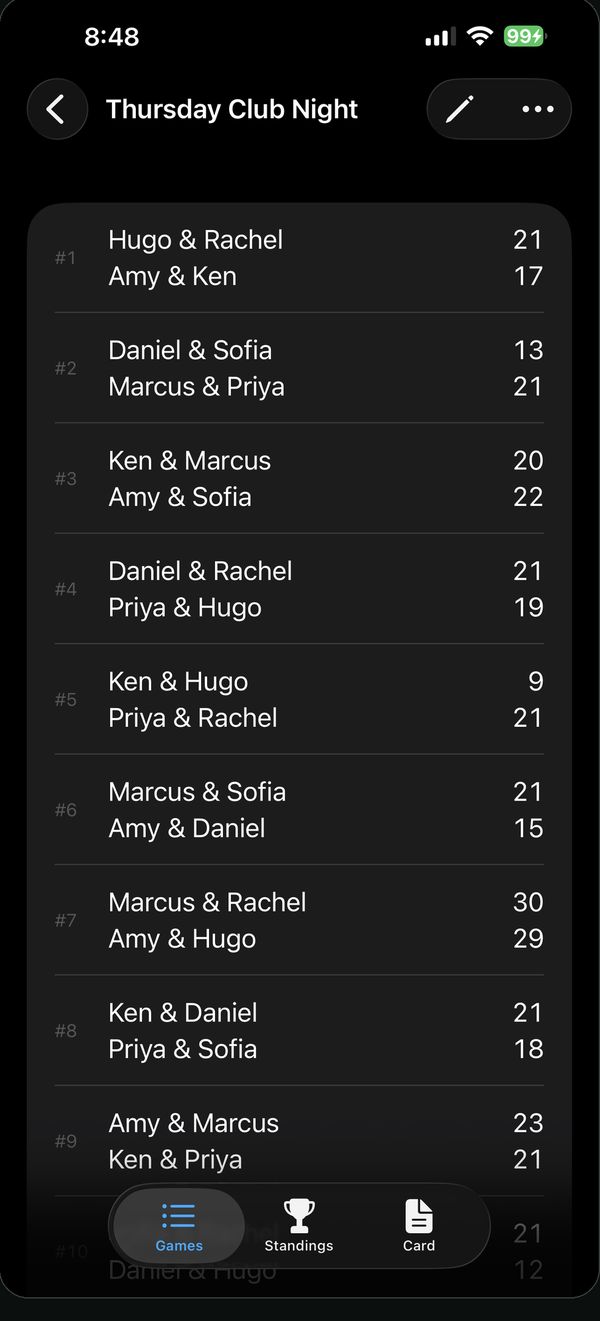
Round 1Rachel & Hugo v Marcus & Priya
Round 2Partners shuffle — Rachel & Marcus v Hugo & Priya
Round 3Rachel & Priya v Marcus & Hugo — everyone has played everyone
Rachel Hugo Marcus Priya
Two taps, back on court

Scoring that keeps up with the night

Games to 21, 15 or 11. Win by two, cap at 30, with a gentle warning when a score breaks BWF rules — plus walkovers and a tap board for changing a line-up in seconds.

Fair when games played differ

Standings that stay honest

Win–loss totals, or switch to win rate when people have played different numbers of games. Ties break on average point difference, so a late arrival isn't ranked below someone who simply played more.

One tap to the group chat

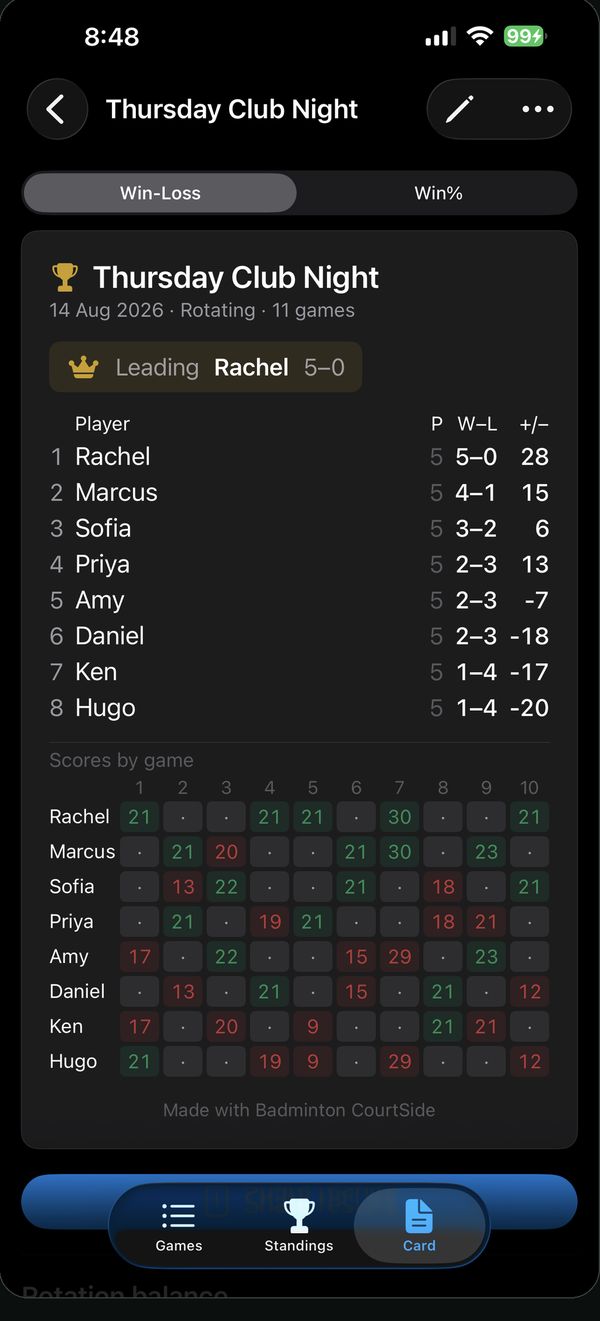
Every score, one picture

Export a results card — champion, final table and every game's score — as an image. Or export the whole tournament as data or a spreadsheet whenever you like.
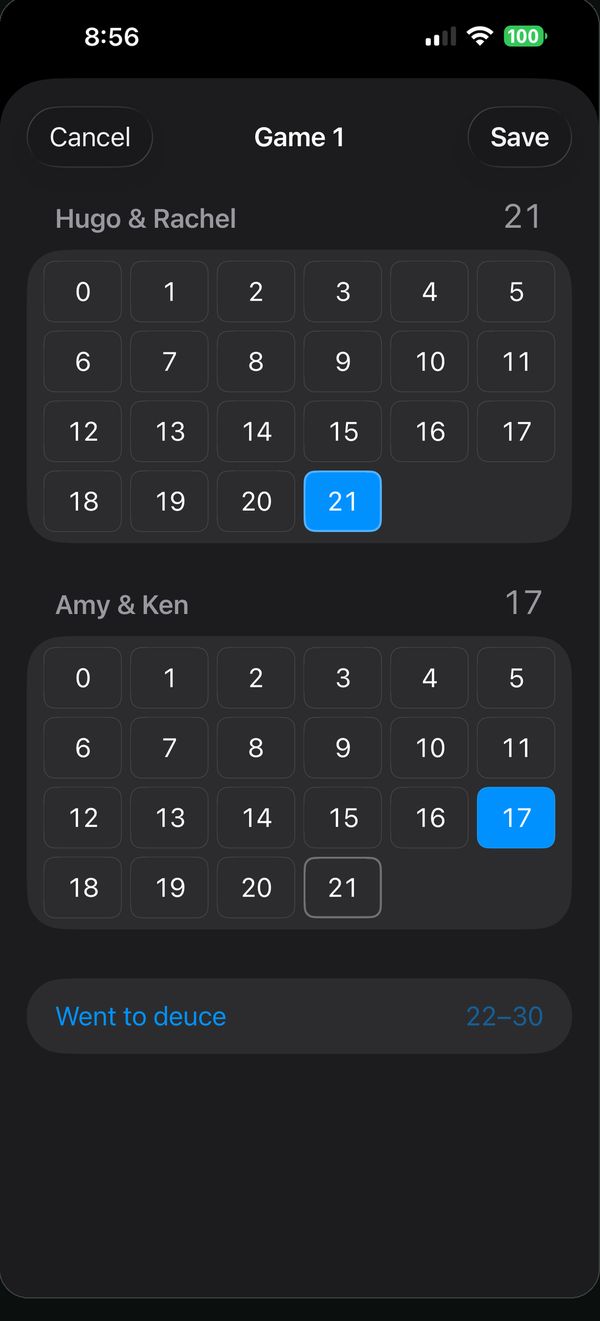
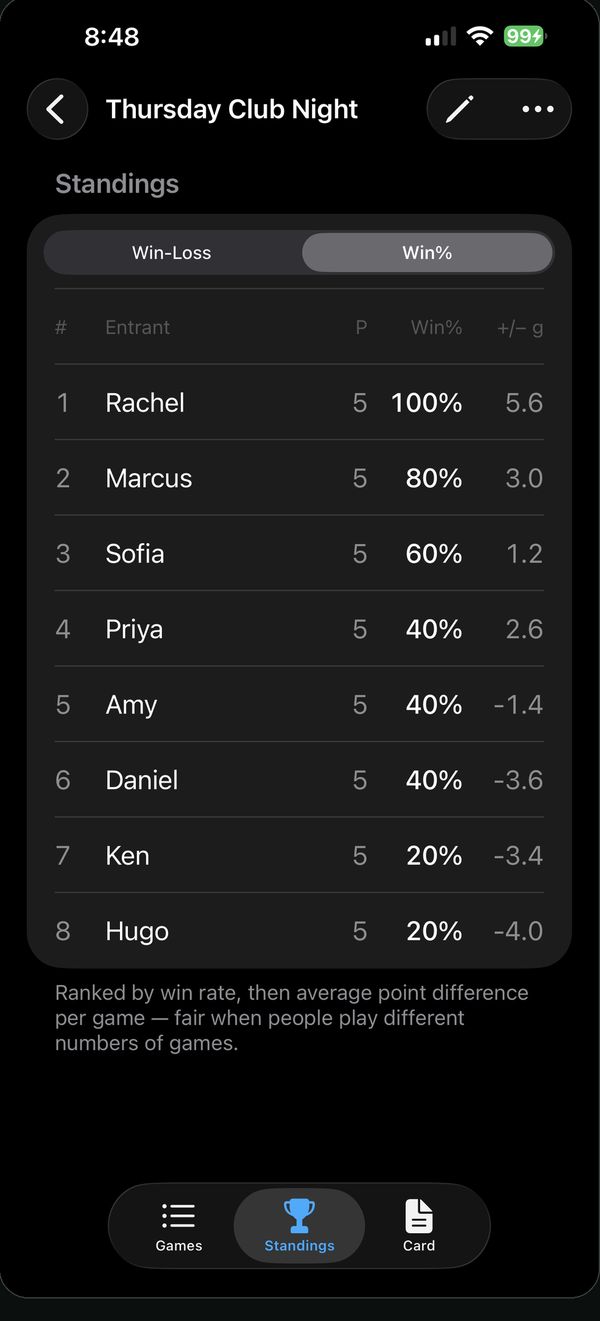
Entering a game score on a tap grid Standings ranked by win rate Shareable results card inside the app

Six taps to a session.
Two to a score.

Every field that can fill itself in already has: tonight’s date as the name, rotating partners, games to 21. Anyone you played with before is one tap away in the Recent row. Nobody types on a phone while the court is waiting — try the two screens below, they work.

Starting a session 0 taps
Tournaments
Thursday Club Night12 players · 18 games
Saturday Social8 players · 10 games
CancelNew tournament
Details
NameTournament 14/9/2026
FormatRotating partners
Points21
RoundsMost rest
Recent — tap to add
Players (total 4)
Player namePlayer 1
Player namePlayer 2
Player namePlayer 3
Player namePlayer 4
One tap opens the sheet with the name, format, points and round style already filled in. Four taps on names you have played with before. Start. Leave the names blank and it still runs — you get Player 1 to 4. Open the session, tap Generate, and the first game is on court.
Entering a score 0 taps
CancelGame 5
Rachel & Hugo–
Marcus & Priya–
Tap a score for each side
Saved · back to the games list
A finished game is one number per side. Tapping 21 opens the deuce rows in case they are needed; 15 completes a legal result, so it saves itself and gets out of the way. Correcting a score you already saved keeps a deliberate Save button.
The Recent row keeps the last 16 people you played with, on the device. No account, nothing to sync, nothing to type in a noisy hall.

The whole hall can watch

Tap Go Live and the tournament gets a short join code and a QR. Spectators follow standings and scores on their own device — no shared login, nothing to set up.

BM-1234 Join code
valid while the session runs

Or turn a spare tablet into a courtside board over your own Wi-Fi. It's a plain web page served from your device, so even very old hardware works — and nothing leaves the hall.
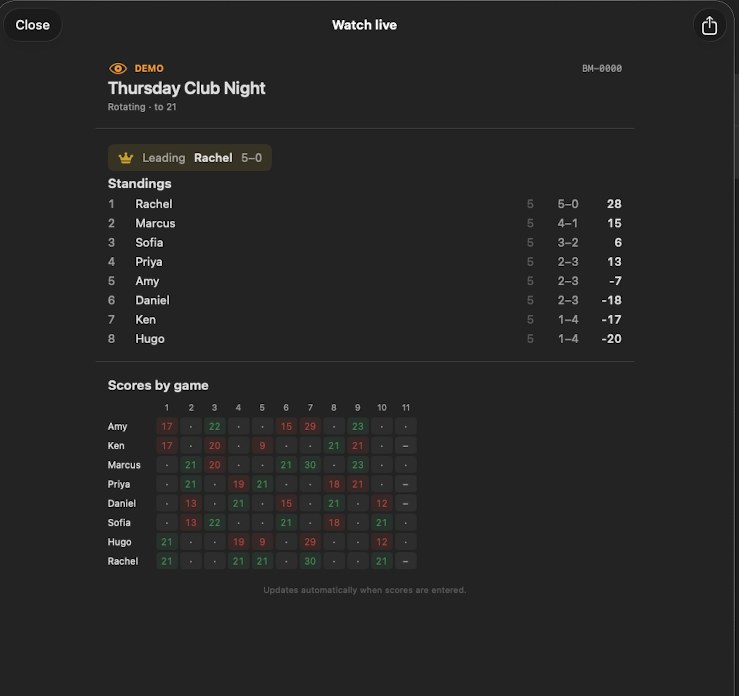
The Watch live screen: standings for Thursday Club Night with the leader, each player's record, and a grid of every game's score
What a spectator sees after joining with the code — standings and every game's score, updating as they are entered.

Built for a club night, not a broadcast

Singles and doubles

Two formats

Fixed teams playing a full round-robin, or rotating partners that shuffle every round. Up to 16 players sharing one court.

Social · Most rest · Competitive

Fair rotation

Maximum partner variety, even breaks, or matches drawn from the standings. A balance view shows who has partnered and faced whom.

Works offline

No account, ever

No sign-up, no email, no phone number. Your session data stays on the device unless you choose to publish a live scoreboard.

Free. And no
account needed.

Every feature is free. Download it before Thursday and let the app run the draw.

Requires
iPhone and iPad — iOS 17 or later
Mac — Apple silicon, macOS 11 or later
On Mac it runs the iPad app. Intel Macs aren't supported.
Languages
English
繁體中文
Support
Support and FAQ
support@jimmylstudio.com
Privacy policy