 SpreadSplit
One scan. Two pages. Properly.
Scanned books, manga and exam papers arrive as double-page spreads. SpreadSplit cuts each one down the middle into clean single portrait pages, in the right order, at full quality.
SpreadSplitScanned books, manga and exam papers arrive as double-page spreads. SpreadSplit cuts each one down the middle into clean single portrait pages, in the right order, at full quality.
SpreadSplit finds the spine by analysing the page content, so most documents need no adjustment at all. When one does, the line is yours to drag.
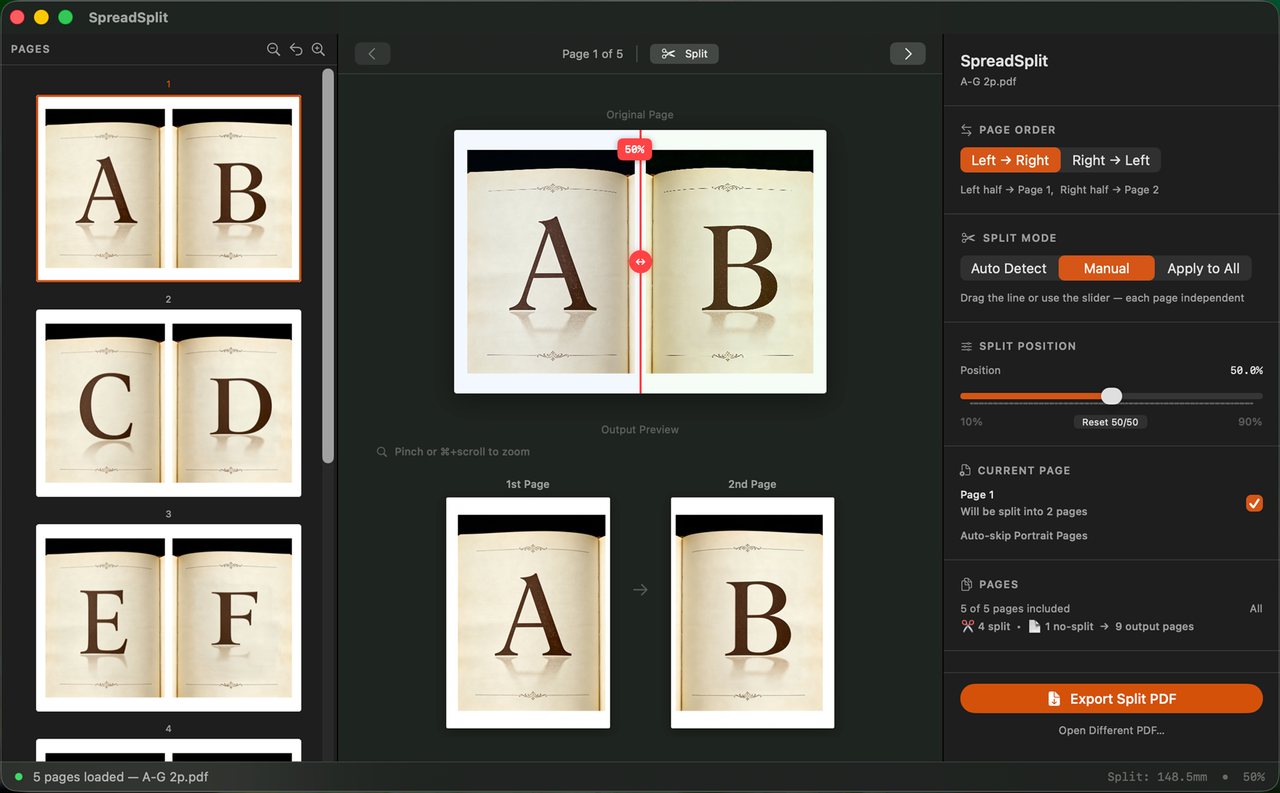
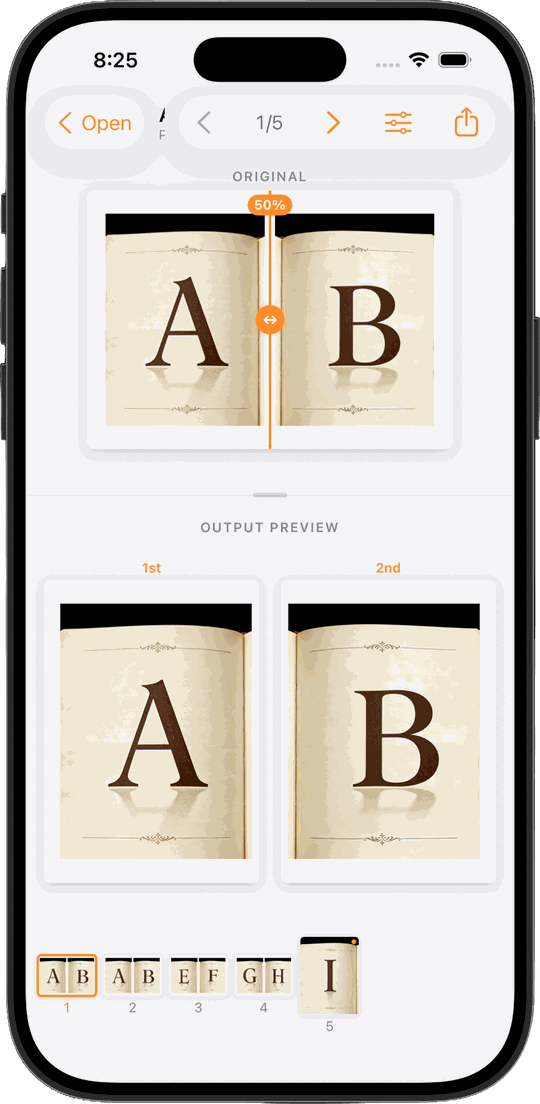
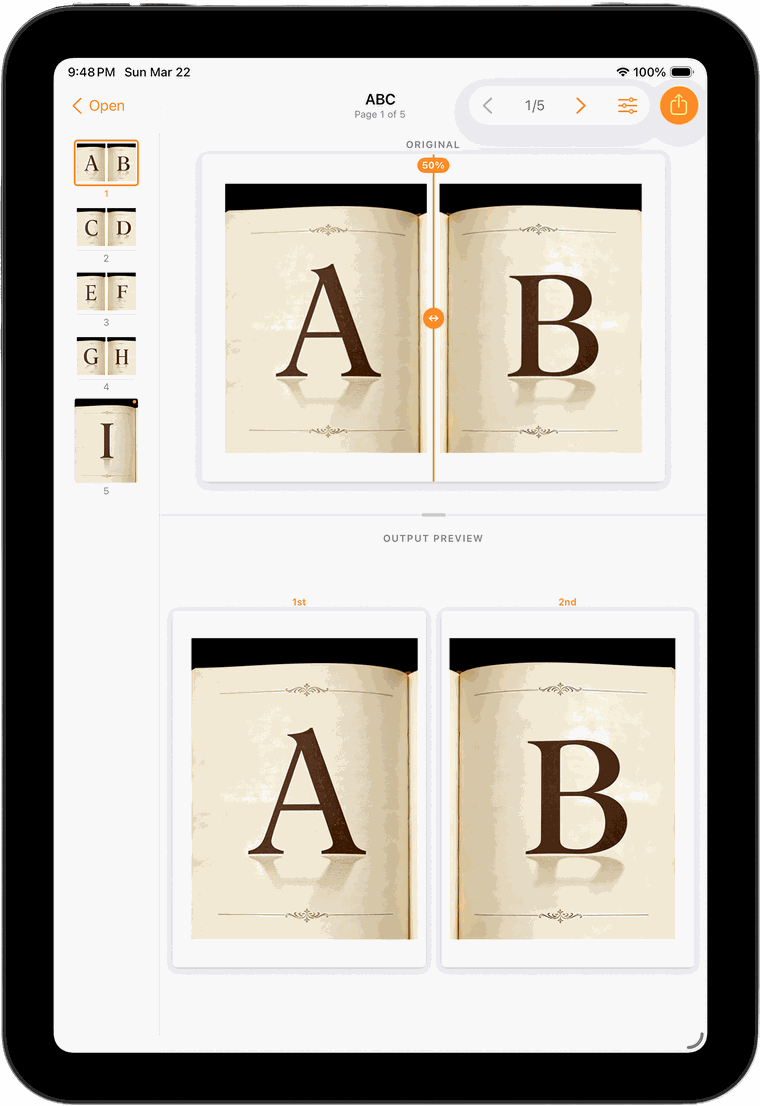
Drag the cut line anywhere, reset to an exact 50/50, or apply one position across every page. Portrait pages are skipped automatically, and you can override any page.
Choose which half comes first, so right-to-left books come out in reading order rather than reversed.
Pages are re-rendered as vector PDF, not re-photographed. Text stays sharp and selectable, and file size stays sensible.
Beyond side-by-side spreads, SpreadSplit detects unusually tall pages and splits them horizontally into readable portions.
Both resulting pages are shown as you adjust, so the first time you find a mistake isn't after exporting 300 pages.
No accounts, no analytics, no telemetry, no server. The app cannot make a network connection — your documents never leave the device.
The Mac and iOS versions are separate native apps on separate App Store listings, so buying one doesn't include the other. Both do the same job, in the way that suits the platform.
A three-panel window — thumbnails, interactive split preview, controls. Open from Finder, the Dock, or several PDFs at once in their own windows. Built with SwiftUI and AppKit.
View on the Mac App Store →Opens PDFs from the Files app, iCloud Drive or any file provider, and exports through the standard share sheet to Files, AirDrop, Books or anywhere else.
View on the App Store →One-time purchase, no subscription. For textbooks, manga, exam papers, archives — anything that came off a flatbed two pages at a time.